Best Browser Agents (2026)

3 min read
If you sign up through a link on this page, we may earn a commission — it never affects our rankings.
A buyer's guide to the best Browser Agents — AI tools that autonomously navigate websites, fill forms, scrape data, and complete multi-step tasks inside a real or virtual browser.
If you've ever found yourself stuck in a endless cycle of copy-pasting and re-pasting data from one website to another, then you know the struggle of trying to automate repetitive web workflows. This is exactly where browser agents come in – they can help you streamline your tasks by acting as a middleman between you and the website, freeing up your time to focus on more critical tasks.
Choosing the Right Browser Agent
Before diving into the world of browser agents, it's essential to understand what to look out for when choosing the right tool for the job. With so many options available, it's easy to get overwhelmed, but don't worry, we've got your back.
1. Automation Capabilities
When evaluating browser agents, consider what specific tasks you need to automate. Do you need to fill out forms, click specific buttons, or extract information from web pages? Once you identify your automation needs, look for browser agents that can cater to those requirements. For instance, if you need to perform complex web scraping tasks, you might want to look into tools with advanced web scraping capabilities. Nextbrowser, for example, is specifically built for professional, repeatable web workflows, making it a solid choice for users who require robust automation capabilities.
2. Ease of Use
Let's face it – automation can be intimidating, especially for those without extensive technical knowledge. When choosing a browser agent, prioritize ease of use, especially if you're new to automation. Tools like AI Browser, which run web tasks by describing them in plain language, can be particularly appealing to non-technical users. These types of browser agents often have intuitive interfaces that make it simple to set up and execute tasks, eliminating the need for complicated coding or setup processes.
3. Integration and Compatibility
Make sure to choose a browser agent that integrates seamlessly with your existing workflow and tools. Some browser agents, like AI Browser, may offer integrations with popular productivity tools like Google Drive or Slack. Ensure that the tool you choose can interact with your preferred software and services to create a cohesive working environment.
4. Pricing and Pricing Models
When considering the cost of a browser agent, be aware of the pricing structure. Some browser agents, like Nextbrowser, may offer free plans for basic automation, while others might charge a fee for more advanced features. Consider your specific needs and weigh the costs against the benefits to determine whether a paid plan is worthwhile.
Common Pitfalls
In your search for the perfect browser agent, avoid common pitfalls like over-reliance on a single tool or failure to test different options. Experiment with various browser agents, and assess their strengths and weaknesses to find the one that best fits your unique needs.
Putting it All Together
With the right browser agent by your side, you can free up even more time to focus on the tasks that matter most. By considering your automation needs, prioritizing ease of use, evaluating integration and compatibility, and carefully examining pricing structures, you'll be well on your way to selecting the perfect browser agent for your workflow.
Practically speaking, start by trying out free plans or trials for tools like AI Browser and Nextbrowser to get a feel for their capabilities. Don't be afraid to reach out to the development teams or online communities for more information and support. Remember, automation is all about streamlining your workflow, so don't be too proud to ask for help along the way.
Browser Agents by the numbers
Pricing mix
Best Browser Agents (2026)



AI Browser is a cloud‑based service that lets users automate web‑site interactions through natural‑language prompts instead of writing code or scripts. It is aimed at non‑technical professionals who need to perform repetitive browsing tasks such as data extraction, form filling, or navigation without learning a scripting language. The platform combines a large language model with a headless Chromium engine. When a user submits a prompt like “log into my account and download the latest statement,” the model parses the request, generates a sequence of browser actions (clicks, keystrokes, scrolling) and executes them in a sandboxed browser session. Results are returned as files, screenshots, or structured data. AI Browser works best on sites with stable layouts; pages that heavily use CAPTCHAs, dynamic content loading, or anti‑automation measures may cause failures. The service does not currently expose a public API for custom integration, and pricing details are not publicly listed, so users must evaluate it on a case‑by‑case basis.
- Natural‑language to browser action translation
- Headless Chromium execution environment
- Download of files and screenshots from sessions
- Support for form filling and button clicking
- Session‑based state persistence

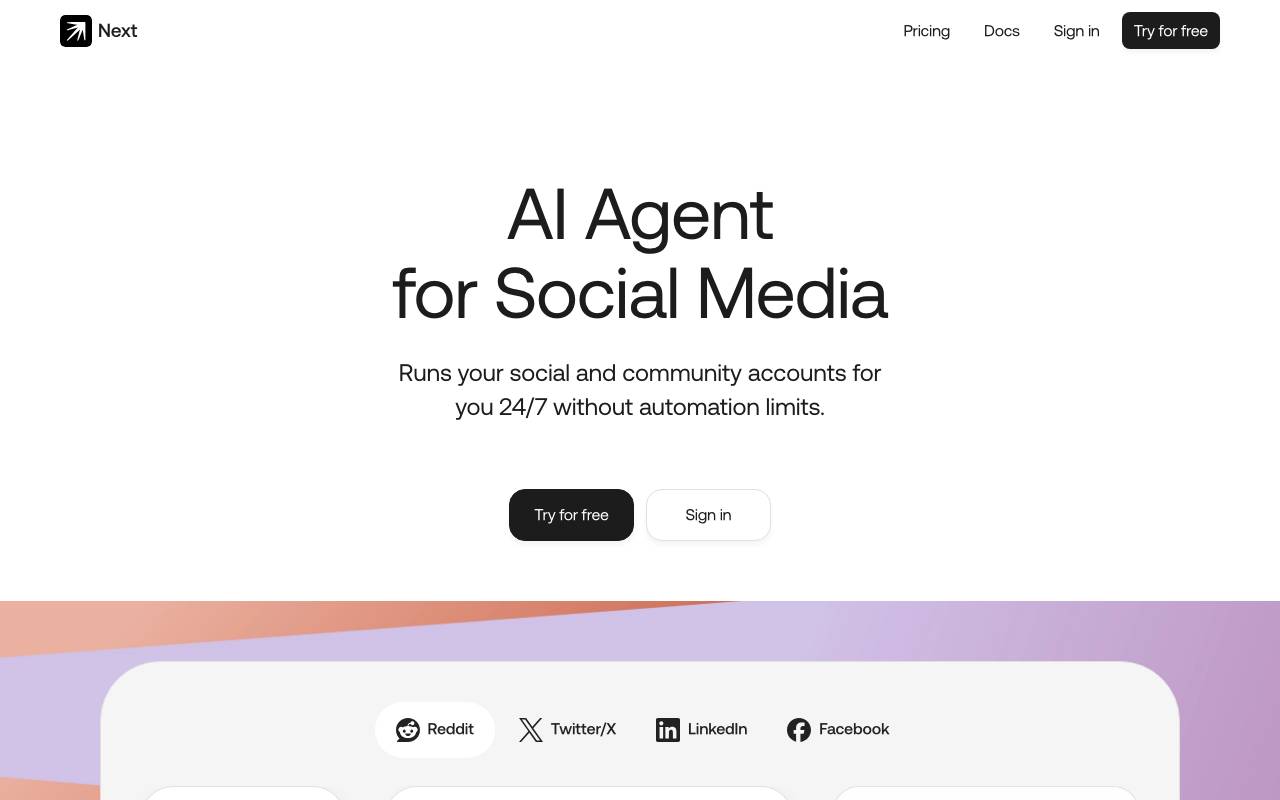
Nextbrowser is an AI‑driven social‑media automation platform aimed at professionals and agencies that need to run repeatable web workflows across multiple accounts. It addresses the time‑consuming nature of manually monitoring, posting, and engaging on platforms such as Reddit, X (formerly Twitter), LinkedIn, and Facebook by providing a single agent that can operate 24/7. The service offers a range of automated actions: monitoring keywords or mentions, posting comments, upvoting or liking content, joining relevant subreddits, sending connection requests on LinkedIn, and responding to marketplace queries on Facebook. Users can configure the agent to grow follower counts, engage with high‑reach influencers, and adjust advertising bids based on business‑manager statistics. These capabilities are presented as “limitless” automation without the typical API rate limits imposed by the platforms. To set up, users import their social accounts through encrypted methods that avoid password sharing; the platform uses remote browsers, anti‑fingerprinting technology, and residential proxies to protect credentials. Once accounts are added, users interact with the AI via chat integrations such as Telegram, WhatsApp, Slack, or Discord, providing custom instructions for the agent to execute. The workflow is described as a three‑step process: import accounts, select a chat integration, and issue commands. Nextbrowser emphasizes security and reliability, citing SHA‑256 encryption for credential data, anti‑bot resilience, and a claimed 99.9 % task execution reliability. While the tool can automate many routine engagement tasks, it still requires user oversight for strategy and compliance with each platform’s terms of service. No pricing details or independent performance audits are provided on the site.
- AI agent that operates a real browser
- Natural language task instructions
- Web data extraction and scraping
- Form filling and workflow automation
- Multi-step task execution
- Built for professional use cases
Browse all 2 Browser Agents tools
The complete, searchable directory — ranked by real user reviews.
| # | Tool | Rating | Pricing | View tool |
|---|---|---|---|---|
| 1 |  AI BrowserRun web tasks by describing them in plain language AI BrowserRun web tasks by describing them in plain language4.8 (4) | 4.8 (4) | free | View tool |
| 2 |  NextbrowserAI browser agent built for professional, repeatable web workflows NextbrowserAI browser agent built for professional, repeatable web workflows4.6 (5) | 4.6 (5) | free | View tool |

