MD2WordFerramenta online gratuita para converter arquivos Markdown em documentos Word formatados.

Visão geral
Funcionalidades principais
- Conversão de Markdown para .docx
- Suporta títulos, listas e tabelas
- Lida com blocos de código e formatação inline
- Colar texto ou fazer upload de arquivos .md
- Download instantâneo do resultado em Word
- Funciona diretamente no navegador
Preços
- Modelo
- Free
- Categoria
- Bibliotecas de Ferramentas
- Avaliação
- 5.0 / 5 (4)
Casos de uso
Converter rascunhos Markdown em Word para clientes
Escritores e freelancers podem redigir conteúdo em Markdown e entregar arquivos .docx polidos para clientes ou editores que preferem Word para revisão e edição.
Entregar trabalhos de estudante no formato Word
Estudantes que preferem Markdown para tomar notas podem converter rapidamente seu trabalho em documentos Word para atender aos requisitos de entrega de trabalhos.
Compartilhar documentação de desenvolvedor como .docx
Desenvolvedores podem transformar arquivos README ou documentação técnica Markdown em formato Word para partes interessadas, preservando títulos, tabelas e blocos de código.
Formatar Markdown rapidamente sem instalar software
Usuários casuais podem colar Markdown no navegador e baixar instantaneamente um arquivo Word formatado, sem necessidade de cadastro ou ferramentas locais.
Prós e contras
Prós
- Grátis para usar, sem necessidade de cadastro
- Baseado no navegador, sem necessidade de instalação
- Preserva a formatação comum do Markdown
- Interface simples e amigável para iniciantes
Contras
- Controles de estilo avançados limitados
- Pode não lidar com extensões Markdown personalizadas complexas
- Requer conexão com a internet
- Formatação de saída pode precisar de pequenos ajustes
Avaliações
Média de 4 avaliações.
Entra para deixar uma avaliação.

Skeptical, then convinced
I went in skeptical — most tools in this space overpromise. It actually delivers on markdown to .docx conversion, and preserves common Markdown formatting caught me off guard. still, I'd recommend giving it a real trial.
Compared a few options
Evaluated this against two competitors. Where it wins: supports headings, lists, and tables and preserves common Markdown formatting. Where it lags: limited advanced styling controls. On balance the feature set — especially paste text or upload .md files — justifies the 5 stars for our use case.
Skeptical, then convinced
I went in skeptical — most tools in this space overpromise. It actually delivers on supports headings, lists, and tables, and browser-based, no installation needed caught me off guard. still, I'd recommend giving it a real trial.

Skeptical, then convinced
I went in skeptical — most tools in this space overpromise. It actually delivers on handles code blocks and inline formatting, and simple, beginner-friendly interface caught me off guard. still, I'd recommend giving it a real trial.
Perguntas e respostas
How do I convert a .md file to a readable document?
A .md file is just plain text — any text editor can open it, but you'll see raw symbols like # and ** instead of formatting. To turn it into a readable document, paste the content or upload the file here: the live preview instantly renders it as a formatted page, and one click converts the .md to a readable Word document you can share with anyone — no Markdown knowledge required.
Asked by Willa Thompson · Oct 4, 2025
Is it safe to convert confidential Markdown files online?
Yes. Your file is transmitted over an encrypted HTTPS connection, used only to perform the conversion, then deleted immediately afterward — it is never permanently stored, read, analyzed, or shared with third parties.
Asked by Robert Ainsworth · Oct 3, 2025
How to keep Markdown formatting when converting to Word?
A good Markdown to Word converter maps each Markdown element to its native Word equivalent: headings become Word heading styles, tables become editable Word tables, and code blocks retain syntax highlighting. Advanced elements like LaTeX math and Mermaid diagrams are rendered as high-fidelity images embedded in the .docx. The key is choosing a converter that supports the full GFM specification.
Asked by Sami Virtanen · Sep 30, 2025
How to convert Markdown with Mermaid diagrams to Word?
To include Mermaid diagrams in a Word document, use a converter that renders mermaid code blocks into images. Flowcharts, sequence diagrams, Gantt charts, and class diagrams are converted to high-quality PNG images and embedded directly in the .docx file. This eliminates the need to manually export diagrams from tools like draw.io or Lucidchart.
Asked by Henrik Dahl · Sep 27, 2025
How to convert Markdown with LaTeX math to Word?
For Markdown files containing LaTeX equations, use a converter that supports math rendering. Both inline formulas (e.g., $E=mc^2$) and display equations ($$...$$) are rendered with accurate mathematical layout and embedded in the Word document — useful for academic papers, research reports, and engineering documentation.
Asked by Nadia Petrova · Sep 16, 2025
Faz uma pergunta
Alternativas a Bibliotecas de Ferramentas


Markdown Converter Pro
Bibliotecas de Ferramentas
Converta Markdown para PDF, HTML e Word — e transforme PDFs de volta em Markdown limpo.


AI prompt library
Bibliotecas de Ferramentas
Uma grande coleção pesquisável de prompts prontos para ChatGPT, MidJourney e outros modelos de IA.
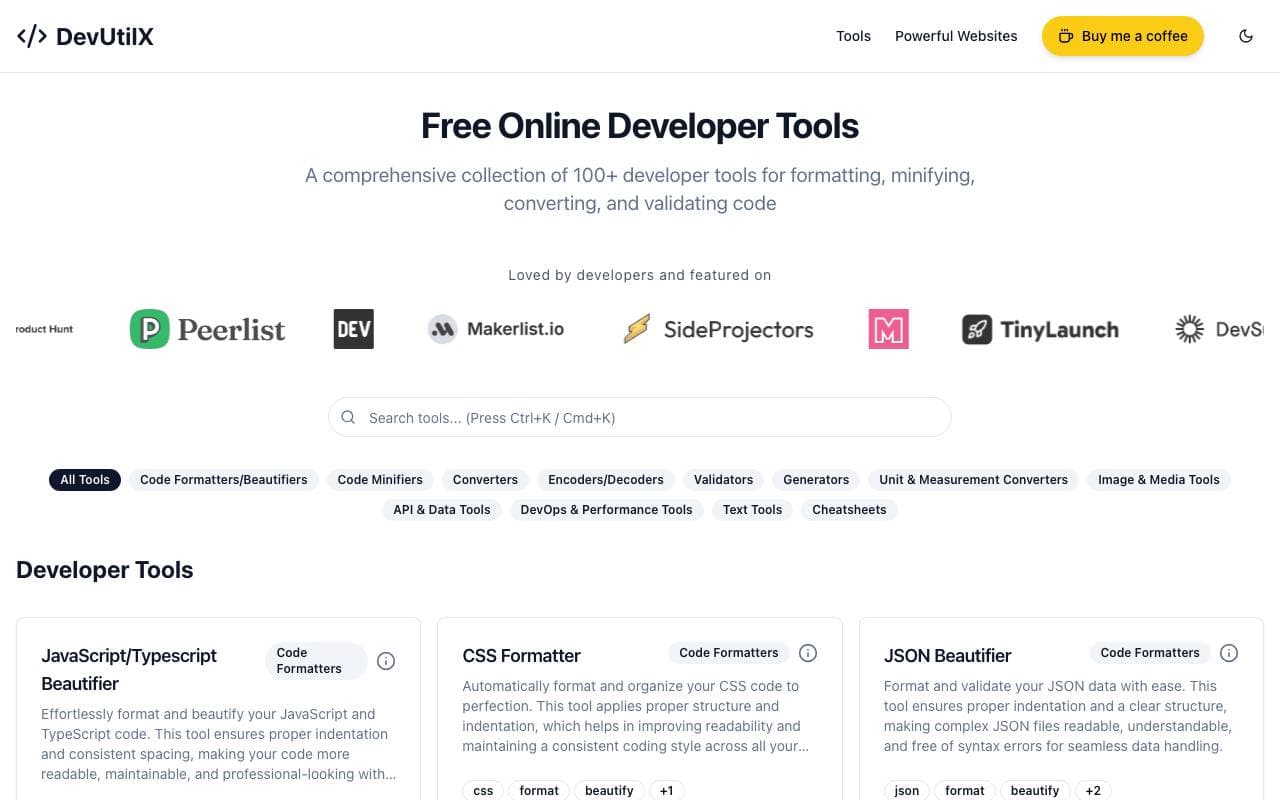

DevUtilX
Bibliotecas de Ferramentas
Uma suíte web unificada de mais de 100 utilitários de desenvolvedor para tarefas de codificação diária.


AgentAuth
Bibliotecas de Ferramentas
Camada de autenticação que permite a agentes de IA acessarem com segurança mais de 250 apps em nome dos usuários.

Wildcard
Bibliotecas de Ferramentas
Ajuda marcas a exibir e vender produtos dentro do ChatGPT e outros assistentes de IA.

Machine Generated
Bibliotecas de Ferramentas
Feed de conteúdo projetado para audiências de máquinas e consumidores de IA


NomadicML
Bibliotecas de Ferramentas
Otimize e adapte continuamente modelos de IA em produção a dados reais desconhecidos em tempo real.

Grimly AI
Bibliotecas de Ferramentas
API de IA focado em desenvolvedores para integrar modelos de linguagem em aplicativos e fluxos de trabalho.
Trending now


Reducto AI
Plataformas de Desenvolvimento de Agentes Inteligentes de IA
API de inteligência de documentos que parseia, divide, reconhece texto e extrai dados estruturados de PDFs complexos, slides e planilhas.


AdCrier
Marketing & Publicidade
Respostas patrocinadas, pagamento por clique.


Biology AI
Educação de Inteligência Artificial
Ajuda Precisa nos Deveres de Casa com Explicações Completas


Pin AI
Automação de fluxo de trabalho
Recrutor de IA agêntico que automatiza busca, triagem e divulgação para acelerar contratações.